
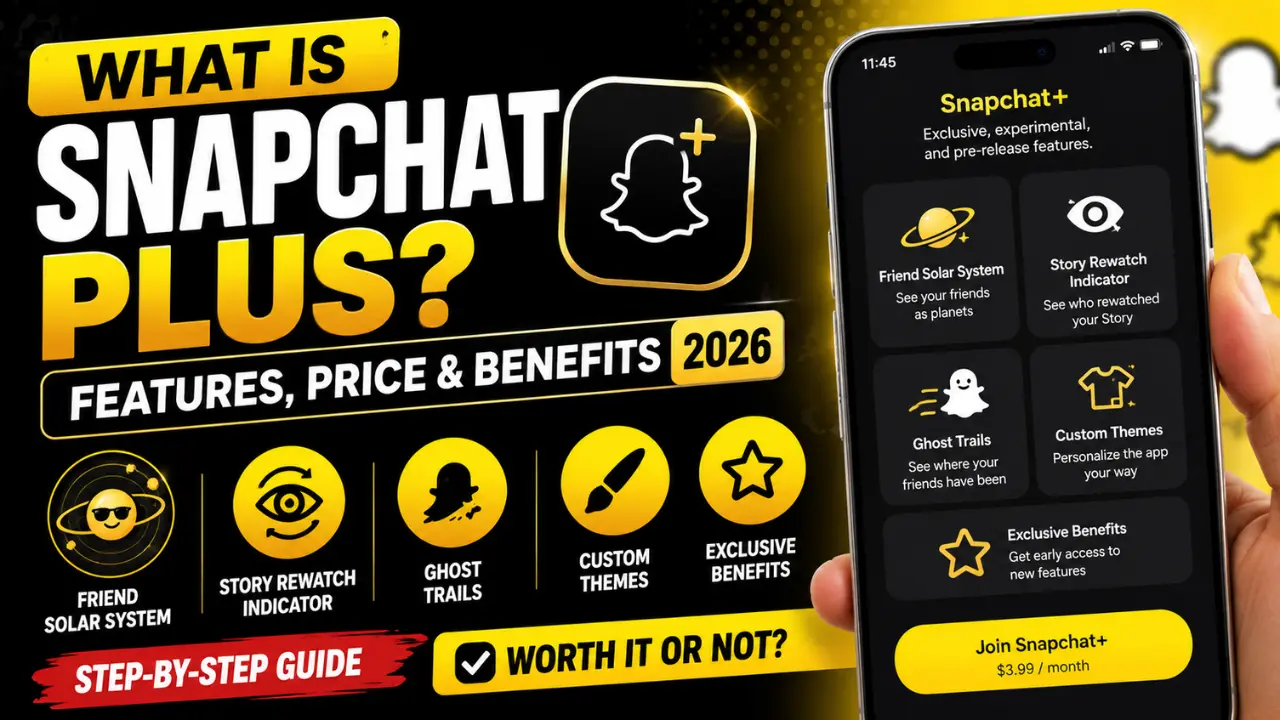
What Is Snapchat Plus? Step-by-Step Guide to Features, Price & Exclusive Benefits (2026)
If you’ve opened Snapchat lately, you’ve probably seen people talking about Snapchat Plus. Maybe a friend has a gold badge on their profile, someone mentioned Snap Planets, or you noticed premium features that don’t appear on your account. With so many updates, it’s easy to wonder whether the subscription is actually worth paying for or if the free version is enough.
The good news is that you don’t need to guess. This guide explains exactly what Snapchat Plus is, what each feature does, how much it costs, and what happens if you cancel. You’ll also learn which features are useful, which ones are often misunderstood, and whether the subscription makes sense for the way you use Snapchat in 2026.
Quick Answer
Snapchat Plus is the paid version of Snapchat. It gives subscribers access to more than 40 extra features that are not available in the free app. These include Friend Solar System, Story Rewatch Indicator, custom app themes, Ghost Trails, early access to new tools, and deeper personalization. The standard version of Snapchat still works the same, so subscribing is optional.
If you use Snapchat every day, keep long Snapstreaks, or enjoy trying new features before everyone else, Snapchat Plus can add real value. Casual users may find the free version enough for their needs.
Snapchat Plus at a Glance
| Feature | Details |
|---|---|
| Service | Snapchat+ |
| Developer | Snap Inc. |
| First Released | June 2022 |
| Current Features | 40+ exclusive features |
| Available Plans | Standard, Lens+, Platinum, Friends & Family (availability varies) |
| Free Version Available | Yes |
| Best For | Daily Snapchat users, creators, and customization fans |
| Platforms | iPhone and Android |
| Availability | Available in many countries including the United States and United Kingdom, with some plans offered only in select regions. |
What Is Snapchat Plus?
Snapchat Planets are a premium feature that comes with Snapchat+ and are not available in the free version of Snapchat. This feature shows your friendship ranking through the Friend Solar System, where each planet represents your position in a friend’s Best Friends list. After purchasing Snapchat+, you may need to enable the Friend Solar System manually from your settings.
Keep in mind that Snapchat has never shared the exact algorithm behind these rankings. Your planet can change based on how often you interact with that friend through Snaps, chats, and other activities, but there is no official number of messages or interactions required to reach a specific planet.
Who Should Buy Snapchat Plus?
Not everyone needs a subscription. The value depends on how often you use Snapchat.
Snapchat Plus is a good choice if you:
- Open Snapchat several times each day.
- Care about Snapstreaks.
- Enjoy customizing your app.
- Want early access to new features.
- Like learning more about your interactions with close friends.
- Create Stories often.
The free version may be enough if you:
- Open Snapchat only once in a while.
- Rarely post Stories.
- Don’t care about customization.
- Only use Snapchat for messaging.
Choosing the right plan comes down to your habits rather than the number of available features.
What Does the Snapchat Plus Do?
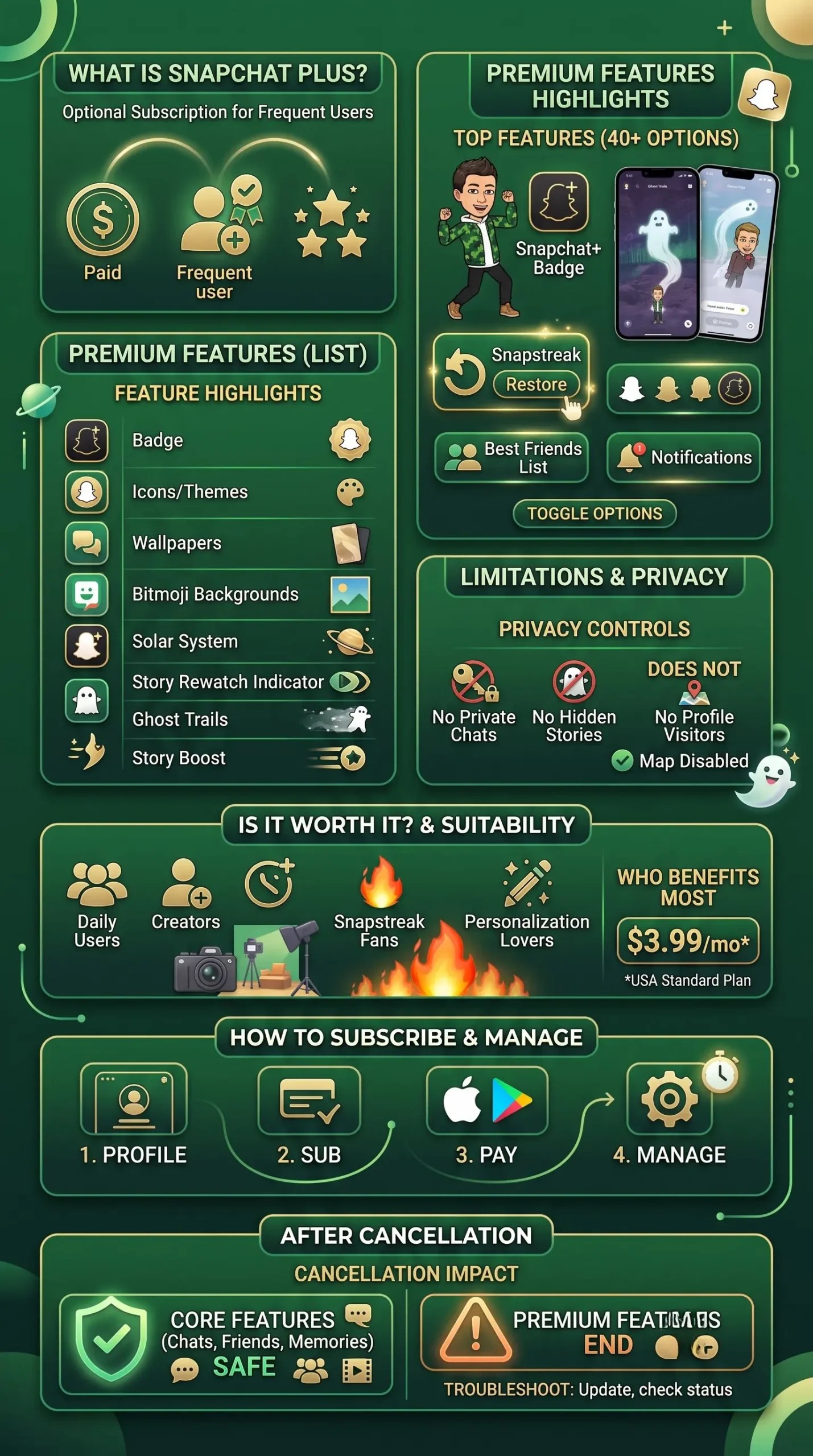
Snapchat Plus gives you access to exclusive features that expand the standard Snapchat experience. Depending on your plan, you can personalize the app, view extra insights about your Stories, customize your profile, use premium AI tools, and unlock advanced creative options. Some plans also include exclusive AI Lenses, expanded Memories storage, and fewer Story and Lens ads.
The subscription does not unlock private information about other people or change Snapchat’s privacy rules. This section answers one of the most common questions users ask before subscribing, and the following sections explain each feature in detail.
Every Snapchat Plus Feature Explained
Snapchat Plus includes more than 40 premium features. Some help you personalize the app, while others give you extra insights or early access to new tools. Not every feature is available in every country or subscription plan, so what you see may vary. Snapchat also adds and removes features over time.
Snapchat Plus Badge
The Snapchat Plus Badge is a small star icon that appears on your profile. It lets other users know that you have an active subscription.
The badge is optional. If you prefer a regular profile, you can turn it off in your Snapchat+ settings. This feature does not unlock extra abilities. It simply shows that you are a subscriber.
Good for: Users who want to display their subscription.
Custom App Icons
Custom App Icons let you change how the Snapchat icon looks on your phone’s home screen.
Instead of using the default yellow ghost icon, you can choose from a collection of exclusive designs. Changing the icon only affects your device. Friends cannot see your selected icon.
Good for: People who enjoy personalizing their phone.
Chat Wallpapers
Chat Wallpapers allow you to add custom backgrounds to individual conversations.
You can choose different wallpapers for different friends, making chats easier to recognize. The wallpaper appears only on your device unless Snapchat states otherwise.
Good for: Keeping important conversations organized.
Bitmoji Backgrounds
Bitmoji Backgrounds give your Bitmoji profile a fresh look with exclusive scenes and designs. Snapchat regularly adds new backgrounds for subscribers.
If you use Bitmoji often, this feature helps your profile stand out without changing your avatar.
Good for: Users who enjoy customizing their profile.
Story Timer
Story Timer lets you control how long a Story remains visible before it expires. This gives you more flexibility than the standard Story duration.
It works well for announcements, travel updates, or limited-time posts.
Good for: Users who post Stories often.
Story Rewatch Indicator
The Story Rewatch Indicator shows whether someone watched your Story more than once. It does not reveal who rewatched your Story. It only tells you that one or more viewers watched it again.
This helps creators understand which Stories attract the most attention.
Good for: Content creators and active Story posters.
Custom Notification Sounds
Custom Notification Sounds let you assign unique sounds to Snapchat alerts. This makes it easier to know when Snapchat notifications arrive without checking your phone.
You can select different sounds based on your preferences.
Good for: Heavy Snapchat users.
Pin a BFF
Pin a BFF lets you pin one Best Friend to the top of your chat list. This makes important conversations easier to find.
Only you can see your pinned chat.
Good for: People who message one friend frequently.
Friend Solar System
Friend Solar System is one of the most popular Snapchat Plus features. It ranks your closest friends using planets. Your position changes based on how often you interact with each other.
Mercury represents your closest friend, while Neptune represents someone lower in your Best Friends list. This feature is optional and can be turned off at any time.
Good for: Users who enjoy tracking friendships.
Friend’s Snapscore Change
This feature shows how much a friend’s Snap Score has changed since you last checked. It helps you see whether someone has been active recently.
The exact number may not update instantly because Snapchat refreshes scores periodically.
Good for: Curious users who follow their close friends’ activity.
Story Boost
Story Boost increases the visibility of your public Story to help it reach more viewers. It does not guarantee viral views, but it may help your Story appear to a larger audience.
This feature is most useful for creators who post regularly.
Good for: Public creators and influencers.
Replay Again
Replay Again lets you replay certain Snaps one extra time when eligible. The feature follows Snapchat’s privacy rules and does not bypass any viewing restrictions.
Availability depends on the type of Snap you receive.
Good for: Users who want another chance to view a Snap.
Priority Story Replies
Priority Story Replies place your replies higher in the creator’s inbox. This can increase the chance that a creator notices your response.
It does not guarantee a reply.
Good for: Fans who interact with public creators.
Post View Emojis
Post View Emojis let you choose an emoji that appears after someone views your Story. It adds a personal touch without changing the content itself.
This feature is purely cosmetic.
Good for: Users who like personalization.
Custom App Themes
Custom App Themes allow you to change the appearance of parts of the Snapchat interface. Themes can include different colors and visual styles depending on your subscription plan.
The changes affect only your account.
Good for: Users who enjoy customizing their app.
Home Tab
The Home Tab gives subscribers more control over how Snapchat opens. Depending on your settings and app version, you can change the default page that appears when you launch the app.
This saves time if you spend most of your day chatting or checking Stories instead of using the camera.
Best for: Daily Snapchat users.
Instant Snapstreak
Losing a Snapstreak can be frustrating, especially after months of daily chats. Instant Snapstreak helps you start or continue a streak more quickly when both friends exchange Snaps.
It doesn’t create fake streaks. You still need to interact with your friend to keep the streak active.
Best for: Users who care about maintaining long Snapstreaks.
Add Pets and Cars in Snap Map
Snap Map becomes more personal with exclusive Bitmoji accessories. Subscribers can add virtual pets or vehicles that appear alongside their Bitmoji while sharing their location.
This feature is cosmetic. It does not improve location accuracy or reveal extra information.
Best for: Users who enjoy customizing their Snap Map.
Story Timestamps
Story Timestamps show when a Story was posted instead of leaving you to guess. This makes it easier to know whether a Story is recent before you open it.
It’s a small feature, but many users appreciate the added context.
Best for: Active Story viewers.
Snapstreak Restore
Missed a day and lost your streak?
Snapstreak Restore lets eligible subscribers recover a lost streak without starting over. Snapchat still reviews eligibility, so not every streak qualifies for restoration.
This feature can save months or even years of progress.
Best for: Long-time Snapchat users.
Snapscore Multiplier
Snapscore Multiplier helps eligible subscribers increase their Snap Score faster than standard accounts.
Your Snap Score still depends on your activity. The multiplier does not generate points automatically.
If you rarely use Snapchat, you won’t notice much difference.
Best for: Users who enjoy tracking their Snap Score.
Extended Best Friends List
Free Snapchat limits how many Best Friends appear on your profile.
Snapchat Plus expands that list, giving you a broader view of your closest connections.
The ranking still depends on your interactions.
Best for: Users with large friend groups.
Custom Chat Colors
Custom Chat Colors let you change the appearance of conversations. You can assign different colors to different chats, making important conversations easier to recognize at a glance.
These changes only appear on your device.
Best for: Users who want a more personalized chat experience.
Extended Snaps
Sometimes a standard Snap isn’t long enough.
Extended Snaps allow eligible subscribers to record longer Snaps before sending them.
This is useful for travel updates, tutorials, or moments that need more time.
Best for: Users who create longer video Snaps.
Peek a Peek
Peek a Peek lets you know when someone partially opens a chat before leaving it. It doesn’t show what they read or how long they stayed. It simply tells you that the conversation was briefly viewed.
Many subscribers like this feature because it provides extra context during conversations.
Best for: Users who chat frequently.
AI Camera Mode
AI Camera Mode adds artificial intelligence to your camera experience. Depending on availability, it can generate creative effects, improve scenes, and produce unique visual styles with just a few taps.
Snapchat continues to expand AI-powered camera tools through updates. Availability may vary by subscription plan and region.
Best for: Users who enjoy creative photography.
AI Captions
AI Captions automatically create captions for supported Snaps and videos. This saves time and helps make content easier to understand when viewers watch without sound.
Always review AI-generated captions before posting, since they may occasionally need small edits.
Best for: Creators who post Stories often.
Tiny Snaps
Tiny Snaps let you send smaller versions of photos for fun conversations. They add variety to chats and create a different visual style without changing image quality.
This feature is mainly for entertainment rather than productivity.
Best for: Friends who enjoy playful conversations.
New Snapchat Plus Features in 2026
Snapchat continues to update its subscription with new tools throughout the year. Recent additions focus on personalization, artificial intelligence, and creative editing rather than basic messaging.
Some of the latest improvements include:
- Expanded AI-powered camera experiences.
- More premium Lens options through Lens+.
- Additional profile customization.
- New Bitmoji styles and backgrounds.
- More exclusive creative tools released first to subscribers.
Not every feature launches worldwide on the same day. Snapchat often rolls out updates gradually, so your account may receive new tools before or after other users. Checking the latest app version is the easiest way to see what’s currently available.
Is Snapchat Plus Worth Getting?
For many daily users, yes.
If Snapchat is one of the apps you open several times a day, the subscription adds useful customization, extra insights, and early access to new features. Friend Solar System, Story Rewatch Indicator, premium AI tools, and personalization options make the experience more enjoyable.
If you only use Snapchat to exchange a few messages each week, the free version already covers the essentials. In that case, paying for extra features may not offer enough value. Whether it’s worth buying depends on how often you use the app rather than how many premium features are included.
Snapchat Plus Pricing and Subscription Plans (2026)
Snapchat offers several subscription plans to match different needs. Some plans focus on personalization, while others unlock advanced AI tools, premium Lenses, or extra benefits for families.
| Plan | Introductory Offer | Regular Price | What’s Included | Best For |
|---|---|---|---|---|
| Monthly Plan | Free for the first 7 days | Rs. 280/month | Access to all 40+ Snapchat+ features, cancel or change your plan anytime | Users who want to try Snapchat+ before committing |
| Annual Plan (Best Value) | Free for the first 7 days | Rs. 1,100/year | Access to all 40+ Snapchat+ features and save 67% compared to paying monthly | Regular Snapchat users looking for the best value |
How Much Does It Cost to Get Snapchat Plus?
In the United States, the Standard Snapchat Plus subscription typically starts at $3.99 per month. Snapchat also offers annual plans that reduce the average monthly cost. Premium tiers such as Lens+ and Platinum cost more because they include additional features and exclusive AI experiences.
Prices may change over time or vary by country. Always check the subscription page inside Snapchat for the latest pricing in your region.
Snapchat Plus vs Free Snapchat
Choosing between the free app and a paid subscription depends on how you use Snapchat.
| Feature | Free Snapchat | Snapchat Plus |
|---|---|---|
| Send Snaps | ✅ | ✅ |
| Chat with Friends | ✅ | ✅ |
| Stories | ✅ | ✅ |
| Filters & Lenses | ✅ | ✅ |
| Friend Solar System | ❌ | ✅ |
| Story Rewatch Indicator | ❌ | ✅ |
| Ghost Trails | ❌ | ✅ |
| Custom App Icons | ❌ | ✅ |
| Chat Wallpapers | ❌ | ✅ |
| Priority Feature Access | ❌ | ✅ |
| Premium AI Features | Limited | Expanded |
If your main goal is messaging friends, the free app already offers everything you need. If you enjoy customization, exclusive tools, and trying new features first, the subscription delivers much more value.
Snapchat Plus vs Snapchat Premium
Many people search for Snapchat Premium, but it is often misunderstood. Snapchat Plus is the official subscription service created by Snap Inc. The term Snapchat Premium is commonly used online to describe private creator accounts that charge followers for exclusive content. It is not an official Snapchat subscription.
Here’s the difference:
| Snapchat Plus | Snapchat Premium |
|---|---|
| Official subscription from Snap Inc. | Informal term used by creators |
| Monthly paid membership | Usually private content access |
| Includes premium app features | Does not unlock Snapchat features |
| Available inside Snapchat | Arranged privately between creators and subscribers |
If you’re looking for premium app features like Friend Solar System, Ghost Trails, or Story Rewatch Indicator, Snapchat Plus is the service you need.
Snapchat Plus vs Other Social Media Subscriptions (US, 2026)
Snapchat is no longer the only social platform with a paid membership. Instagram, X, Telegram, Discord, and other apps now offer premium subscriptions with extra features. The biggest difference is what you’re paying for.
Most social platforms focus on verification, productivity, or creator tools. Snapchat focuses on making the app more personal and interactive.
| Subscription | Best For | Main Benefits |
|---|---|---|
| Snapchat Plus | Daily Snapchat users | Exclusive features, customization, AI tools, early access |
| Meta Verified | Instagram and Facebook creators | Verified badge, account protection, customer support |
| X Premium | X users | Longer posts, ad reduction, premium features |
| Telegram Premium | Messaging power users | Larger uploads, faster downloads, extra customization |
| Discord Nitro | Gaming communities | Better streaming, larger uploads, custom emojis |
If Snapchat is the social app you use most, its subscription offers more value than paying for premium features on platforms you rarely open.
How to Subscribe to Snapchat Plus
Subscribing takes only a few minutes. The process is almost the same on both iPhone and Android. Before you begin, make sure you’re using the latest version of Snapchat. Older versions may not display available subscription plans.
On iPhone
- Open Snapchat.
- Tap your Bitmoji or profile picture.
- Tap the Snapchat+ banner if it appears.
- Choose the subscription plan you want.
- Confirm the purchase using Apple ID.
- Wait a few moments for the premium features to activate.
If the banner doesn’t appear, update Snapchat from the App Store and try again.
On Android
- Open Snapchat.
- Tap your profile.
- Select the Snapchat+ option.
- Pick your preferred plan.
- Complete payment through Google Play.
- Restart Snapchat if the subscription doesn’t activate immediately.
Most subscriptions become active within a few minutes.
How to Gift Someone Snapchat Plus
Snapchat also allows eligible users to gift a subscription.
To send a gift:
- Open Snapchat.
- Go to your profile.
- Find the Gift Snapchat+ option if it’s available.
- Select a subscription length.
- Choose the friend you want to send it to.
- Complete the payment.
Gift availability depends on your country and app version. A gifted subscription gives the recipient access to the same premium features included with the selected plan.
How to Cancel Snapchat Plus Subscription
You can cancel your subscription at any time. Canceling stops future billing, but you’ll usually keep premium access until your current billing period ends.
Cancel on iPhone
- Open Settings.
- Tap your Apple ID.
- Select Subscriptions.
- Choose Snapchat.
- Tap Cancel Subscription.
- Confirm your choice.
Your subscription remains active until the renewal date.
Cancel on Android
- Open Google Play Store.
- Tap your profile picture.
- Select Payments & Subscriptions.
- Tap Subscriptions.
- Choose Snapchat.
- Tap Cancel Subscription.
- Confirm the cancellation.
Google Play will stop charging you after the current billing cycle ends.
What Happens When You Cancel Snapchat Plus?
Your account doesn’t disappear after cancellation. Instead, premium features gradually become unavailable once your subscription expires.
Here’s what usually happens:
- Your Snapchat+ Badge disappears.
- Friend Solar System is no longer available.
- Ghost Trails stops working.
- Premium customization options become unavailable.
- Early access features are removed.
- Exclusive AI tools may become limited.
- Your regular Snapchat account continues to work normally.
Your friends, chats, memories, and Snapstreaks remain on your account. If you subscribe again later, supported premium features return automatically.
Subscription Not Working After Payment
Sometimes payment succeeds, but premium features don’t appear immediately.
This usually has a simple fix.
Try these steps:
- Close and reopen Snapchat.
- Check that you’re signed into the correct account.
- Update the app.
- Restore your purchase from Snapchat settings if available.
- Confirm that payment was completed through Apple or Google.
- Wait a few minutes for the subscription to sync.
- Restart your phone.
If the problem continues after several hours, contact Snapchat Support through the official Help Center.
Why Isn’t Friend Solar System Showing?
Friend Solar System is one of the most searched Snapchat+ features.
If it’s missing, check these common causes:
- Snapchat+ isn’t active.
- Friend Solar System is turned off in settings.
- The friend isn’t on your Best Friends list.
- You’re using an older version of Snapchat.
- The feature hasn’t reached your account yet.
- Snapchat is testing changes in your region.
Most users fix the issue by updating the app and checking their Snapchat+ settings.
Hidden Snapchat Plus Features Most Subscribers Never Find
Many subscribers only use a few premium features.
Several useful options stay hidden inside the settings menu.
These include:
- Turning the Snapchat+ Badge on or off.
- Hiding Friend Solar System.
- Changing app icons anytime.
- Switching chat wallpapers.
- Applying custom themes.
- Managing AI preferences.
- Updating notification sounds.
- Adjusting Snap Map personalization.
Exploring the Snapchat+ settings menu helps you get more value from your subscription.
Can Every Snapchat Plus Feature Be Turned Off?
Yes. Most customization features are optional. You can disable things like your Snapchat+ Badge, Friend Solar System, custom themes, and several other premium options without canceling your subscription.
This gives you more control over how your account looks while keeping access to other subscriber benefits.
Privacy & Safety: Does Snapchat Plus Change Your Privacy?
No. Snapchat Plus adds premium features, but it does not change Snapchat’s core privacy rules. Your private conversations stay private. Other users cannot unlock extra details about your account just because they pay for a subscription.
For example, subscribers cannot:
- Read your private chats.
- Recover deleted messages.
- See who viewed their profile.
- Access hidden Stories.
- View your password or account information.
- Track your location if you have Snap Map turned off.
Snapchat Plus mainly adds personalization, insights, and early access to new features. Privacy controls work the same way they do for free users.
Does Snapchat Plus Remove Ads?
Not completely. Many people think Snapchat Plus removes every advertisement, but that isn’t how the subscription works. The Standard plan still includes ads. Some higher-tier plans, such as Platinum, reduce sponsored Stories and Lens advertisements.
However, Snapchat does not promise a completely ad-free experience. You may still see some promotional content across the app. If your main reason for subscribing is to eliminate ads, Snapchat Plus may not meet your expectations.
Where Is Snapchat Plus Available?
Snapchat Plus is available in many countries, and Snapchat continues to expand support.
Some of the most popular regions include:
- United States
- United Kingdom
- Canada
- Australia
- New Zealand
- France
- Germany
- Italy
- Spain
- Netherlands
- Ireland
- Norway
- Sweden
- Denmark
- Saudi Arabia
- United Arab Emirates
- India
- Japan
- South Korea
- Brazil
- Mexico
Certain subscription plans, such as Lens+ or Friends & Family, may not be available everywhere. Features also roll out at different times, so users in one country may receive updates before others.
Frequently Asked Questions
Is Snapchat Plus Worth Getting?
Yes, if you use Snapchat every day. The subscription adds useful customization, premium AI tools, Story insights, and early access to new features. If you only open Snapchat occasionally, the free version is usually enough.
How Much Does It Cost to Get Snapchat Plus?
The Standard plan in the United States typically starts at $3.99 per month. Annual plans often lower the monthly cost, while premium tiers such as Lens+ and Platinum cost more. Prices vary by country and app store.
What Can People With Snapchat Plus See You Do?
Subscribers can see only the information that Snapchat already allows through its existing features. They cannot read private chats, recover deleted messages, or access hidden account activity.
Can You Hide the Snapchat Plus Badge?
Yes. You can turn the badge on or off in your Snapchat+ settings without canceling your subscription.
Do You Lose Friend Solar System After Canceling?
Yes. Friend Solar System is a subscriber feature. When your subscription expires, access to this feature ends until you subscribe again.
Can You Get a Refund for Snapchat Plus?
Refunds depend on where you purchased the subscription. If you subscribed through the Apple App Store, Apple manages refund requests. If you subscribed through Google Play, Google handles refund eligibility according to its policies.
Final Summery
Snapchat Plus is a premium subscription that adds exclusive features without replacing the free Snapchat experience. It includes tools like Friend Solar System, Story Rewatch Indicator, Ghost Trails, custom themes, AI-powered features, and early access to selected updates. Whether it’s worth the subscription depends on how often you use Snapchat.
Daily users, creators, and anyone who enjoys personalization will get the most value, while casual users may be happy with the free version. Before subscribing, compare the available plans, understand what each feature offers, and choose the option that best matches your needs and budget in 2026.